Your documents. Your phone. No accounts, no servers.
A privacy-first document vault for anyone who deals with paperwork. Encrypted on your device. No sign-up, no tracking, no data leaving your phone unless you choose.
No account required. Files stay on your device.
Built different
How we built privacy into the architecture
Not features. Architecture. If Docrux disappeared tomorrow, nothing about you would leak, because nothing about you exists on our side.
No accounts, no names, no logins
We don't ask for your name, email, or phone number. There's nothing on our servers to link your documents to your real identity, because we never knew who you were to begin with.
We don't even collect device IDs
Most apps track you via device identifiers. We don't. Instead, your phone generates a random support code like DRX-a1b2c3d4 that means nothing without your device. We literally cannot identify you across sessions.
Lose your phone? Your vault is safe
Documents, metadata, and the decryption key all sync to your own iCloud. Get a new phone, install Docrux, sign into iCloud, and your full vault is back. The files never passed through our servers. They went directly from your phone to your cloud.
Manual mode for the truly cautious
Don't trust cloud AI? Turn it off. Don't trust on-device AI either? Turn that off too. Docrux works fully offline with manual entry. You decide what your phone shares, even with itself.
Features
Everything you need, nothing you don't
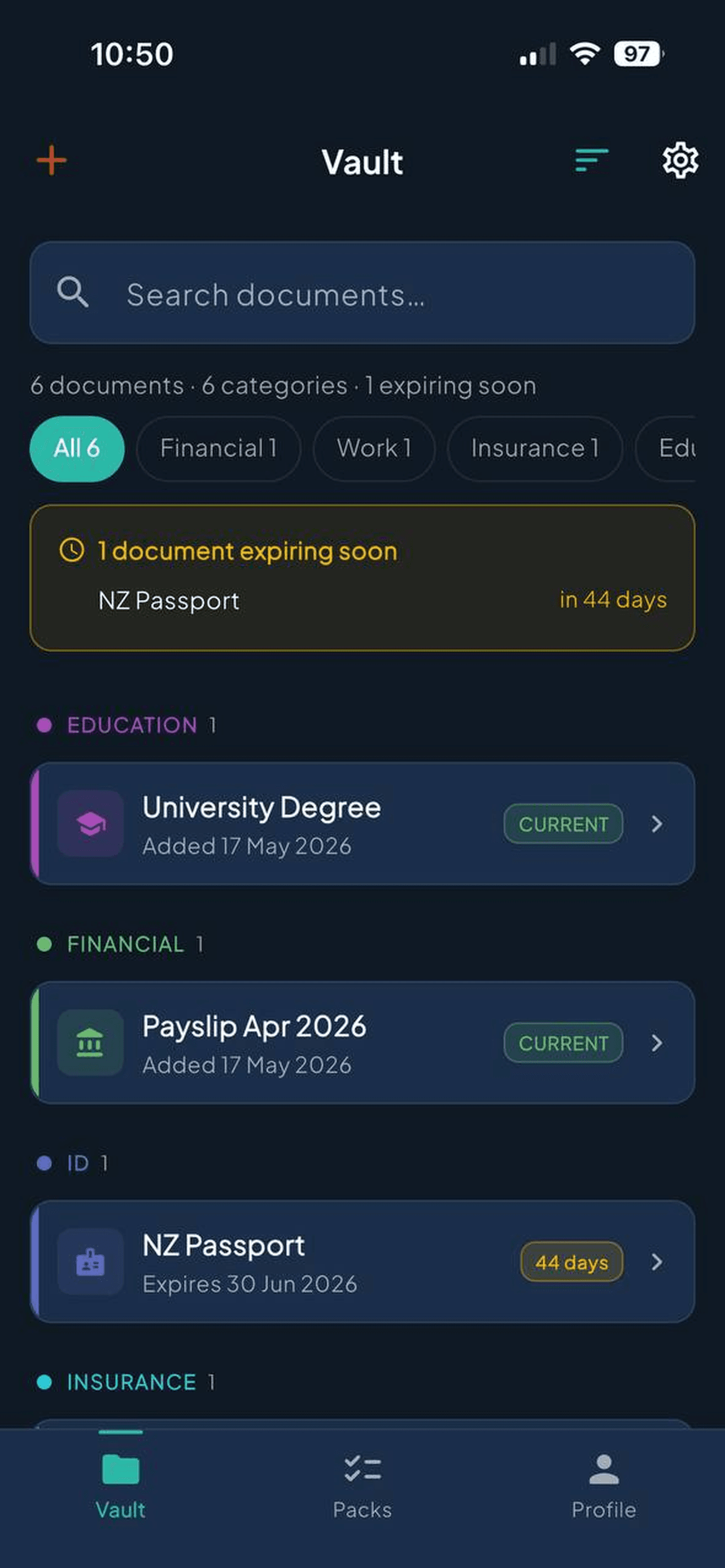
Scan and organise automatically
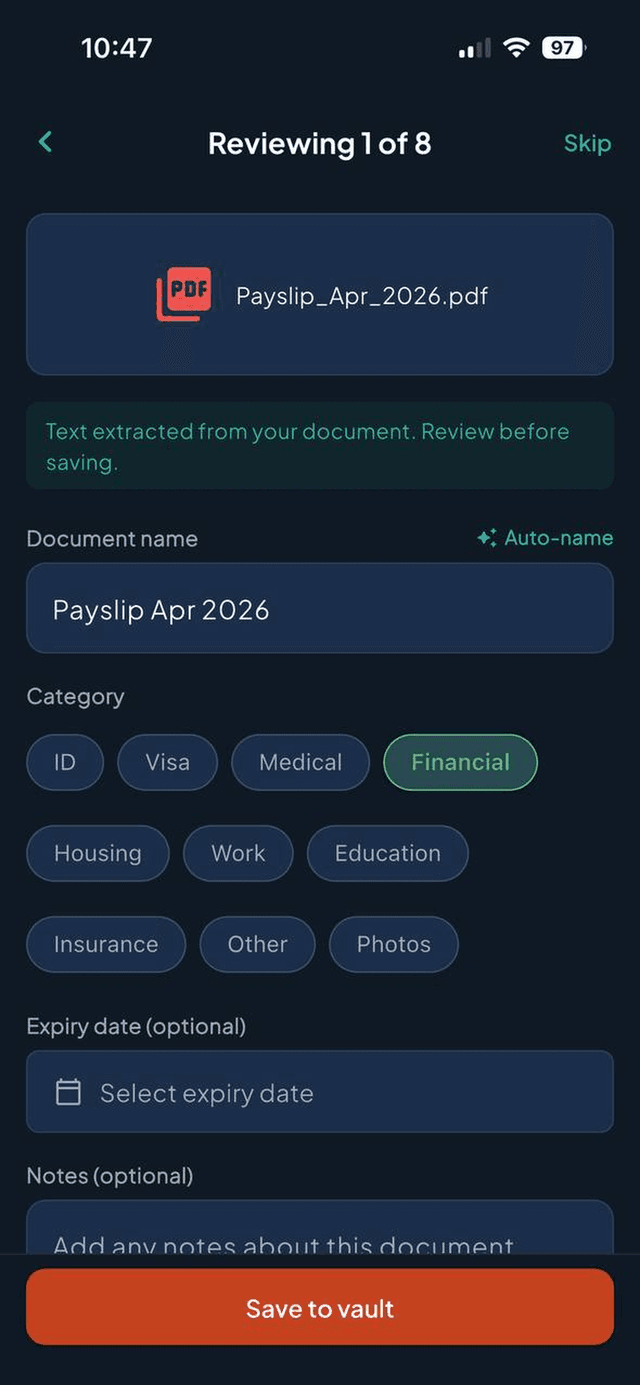
Import a document from anywhere: snap a photo, pick from Files or Photos, or pull from Google Drive. Docrux extracts the text on-device, names it, and files it under the right category. You can override anything.
Expiry reminders that actually work
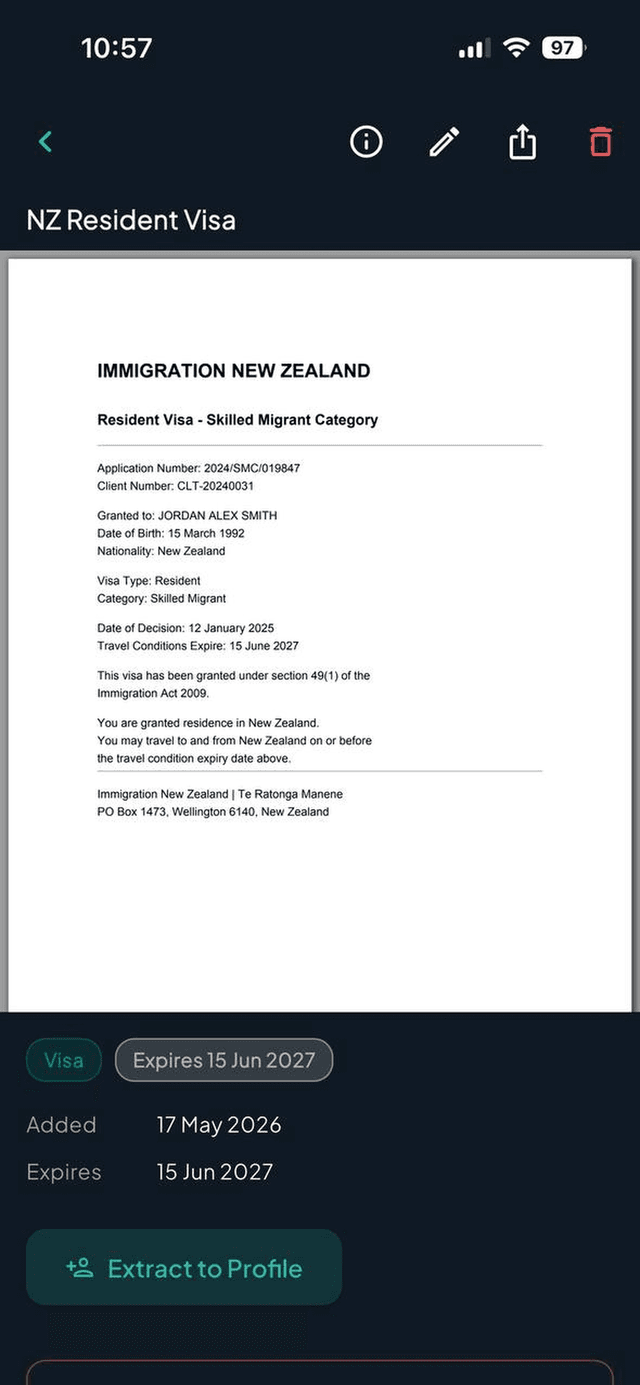
Notifications at 90, 30, and 7 days before anything expires. Passport, insurance, licence, car registration. Nothing slips through.
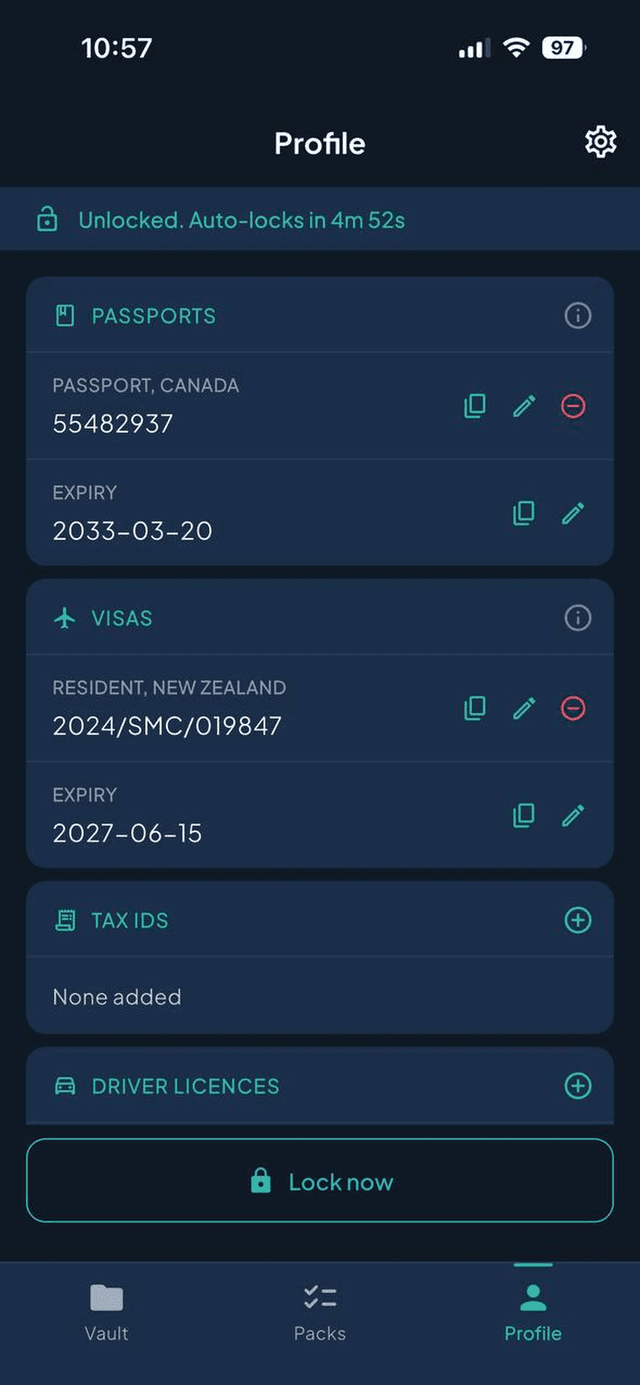
Encrypted profile
Passport numbers, visa IDs, tax IDs, driver licences, all extracted automatically from your documents and masked by default. Protected by biometric authentication.
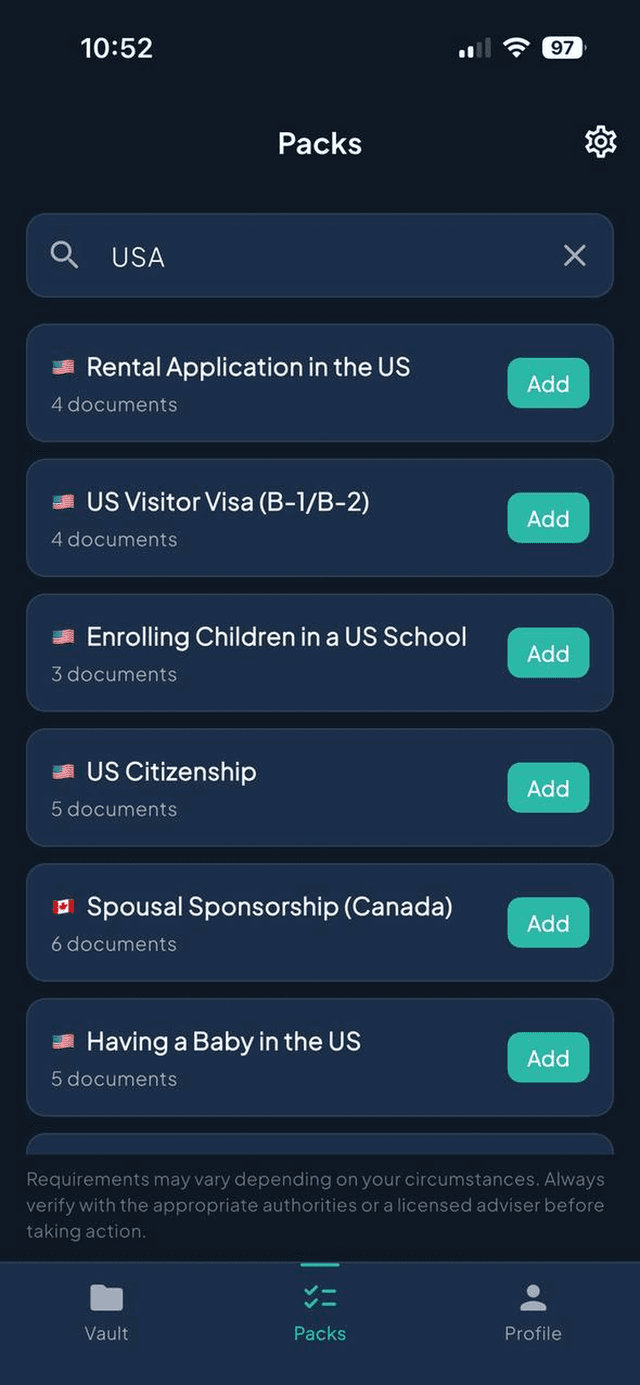
Optional life event checklists
Buying a home, changing jobs, or applying for a visa? Docrux has 100 optional checklists across the US, UK, Canada, Australia, and New Zealand. Use them when you need them. The vault works without them.
Coverage
100 life event checklists across 6 regions
Each checklist is sourced from official government pages. Requirements may vary; always verify with the appropriate authorities.
- Green Card via Employment
- US Citizenship
- H-1B Job Change
- Family-Based Green Card
+ 12 more
- Skilled Worker Visa
- ILR
- Buying a Home
- UK Spouse / Family Visa
- NHS Enrolment
+ 9 more
- Express Entry
- Spousal Sponsorship
- Canadian Citizenship
- Study Permit
+ 10 more
- Skilled Nominated (190)
- Employer Sponsored (482)
- Student Visa (500)
- Medicare Enrolment
+ 9 more
- Resident Visa
- Visitor Visa
- Buying a Home
- Having a Baby
- NZ Citizenship
+ 12 more
- Schengen Visa
- Japan
- India e-Tourist
- Thailand
- UAE
+ 13 more
FAQ
Common questions
Yes. The free tier is genuinely useful: 30 documents stored, 5 active checklists, all core features. Optional Pro subscription is available in the app for higher limits, custom fields, and Google Drive import on mobile.
Your files stay on your phone, in your iCloud, or in your Google Drive. We can't take them away because we never had them. The architecture means we couldn't even if we wanted to.
Coming soon. Sign up below to be notified.
Those are storage. Docrux is the intelligence layer on top. It knows what's a passport vs an insurance card, when things expire, and what documents you need for visa applications, buying a house, or having a baby. It also enforces a stricter privacy model than either.
No. On mobile, files are encrypted on your device with AES-256-GCM. The key lives in your iOS Keychain, which we cannot access. On web, files are in your own Google Drive folder we can only read at your direct request via OAuth. We hold no copies anywhere.
Only the text extracted from your documents on your device, and only when you trigger an AI feature. Files themselves are never sent. Processing is transient; nothing is stored on our servers. You can disable cloud AI entirely in Settings.
Stay in the loop
Get notified when Android launches and when major updates ship. Max one email per month. No marketing, no list-selling.