 Docrux
Documents, checklists, and essentials.All in one private app.
Organise important documents, know what paperwork you need, and keep key details ready when life asks for them.
No account required. Private by design.
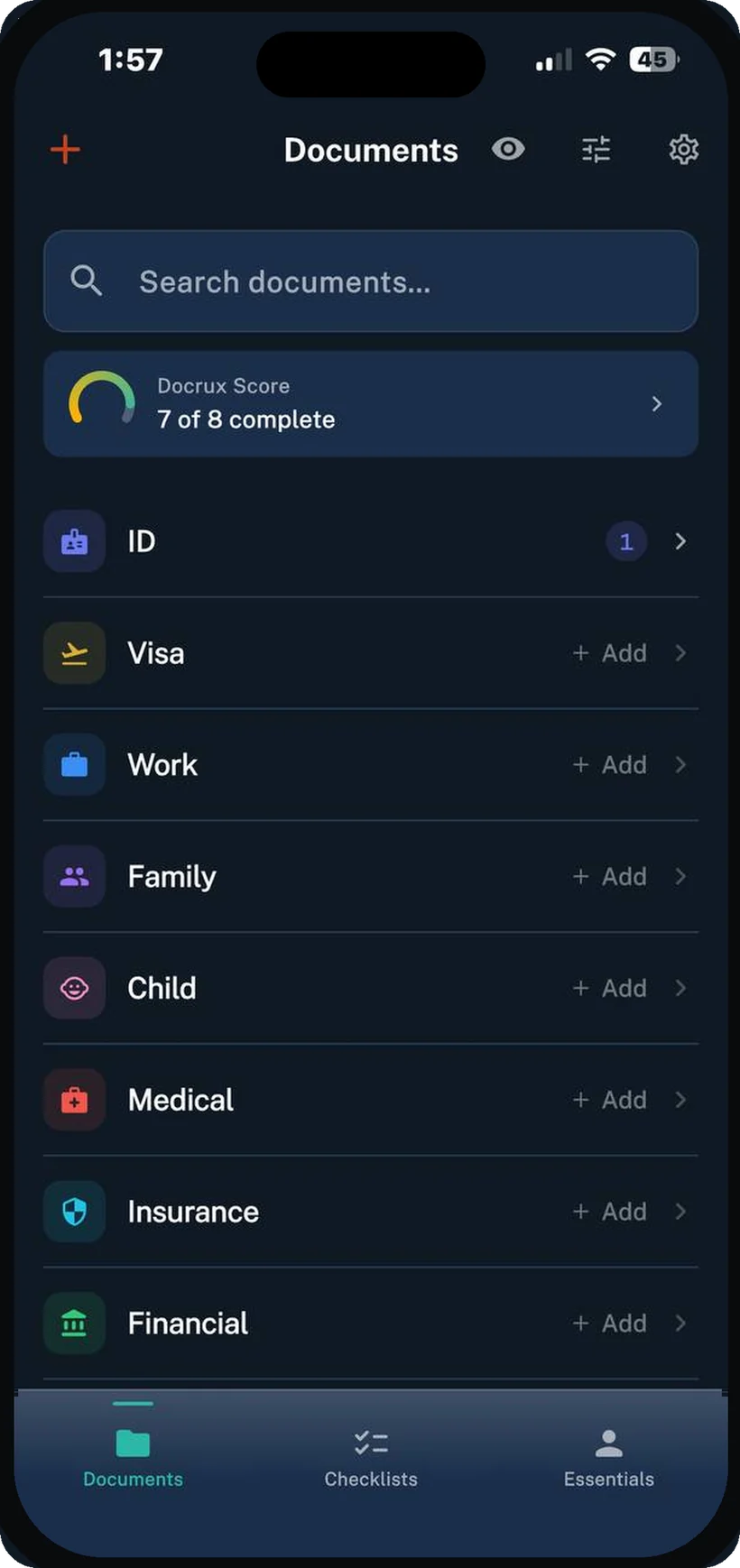
Documents
Add once. Find fast.
Import files, scans, and photos. Docrux helps name and organise them, makes their contents searchable, and shows when something needs attention.
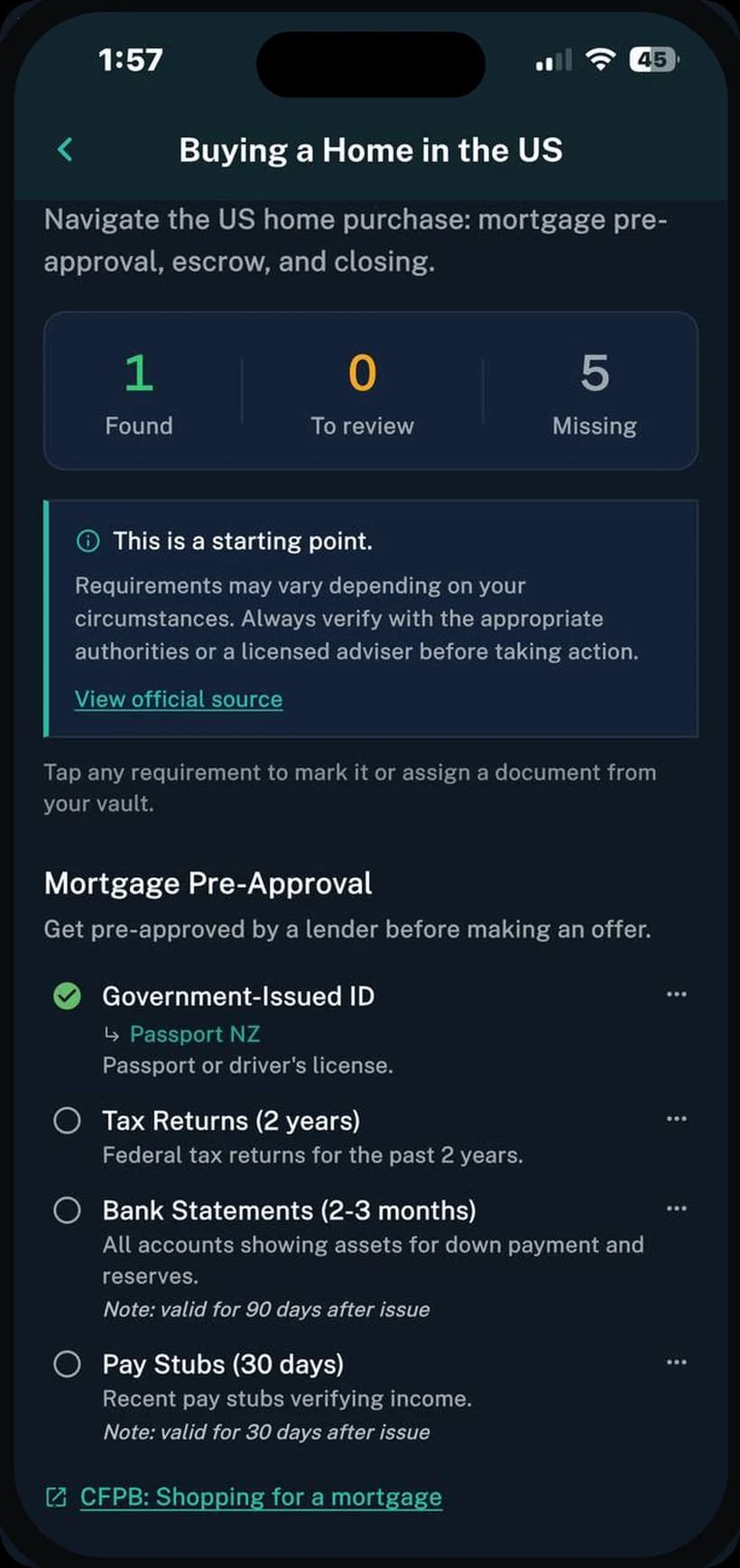
Checklists
Know exactly what paperwork you need.
Use practical checklists for visas, buying a home, relocation, family events, and other life admin. Docrux matches documents you already have and shows what is found, missing, or still needs review.
- Requirements grouped into clear steps
- Existing documents matched automatically
- Found, missing, and review status
- Links to official sources where available
Checklists for the US, UK, Canada, Australia, and New Zealand, with more added over time.
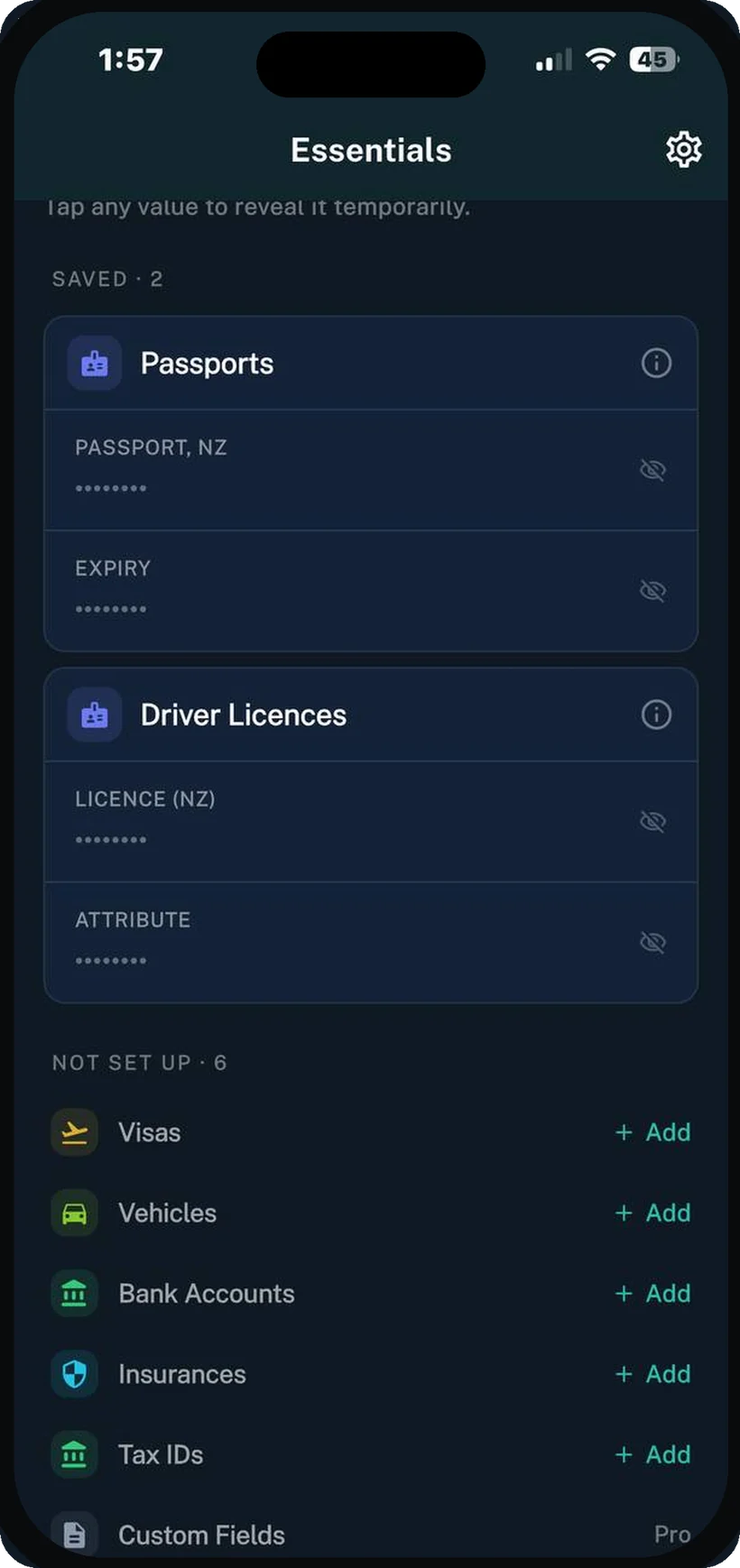
Essentials
Important details, ready when needed.
Keep passport numbers, licence details, tax IDs, insurance information, vehicle details, and other essentials in one protected place. Sensitive values remain hidden until you reveal them.
- Quick access to frequently needed details
- Masked by default
- Temporary reveal
- App PIN, Face ID, or Touch ID protection where supported
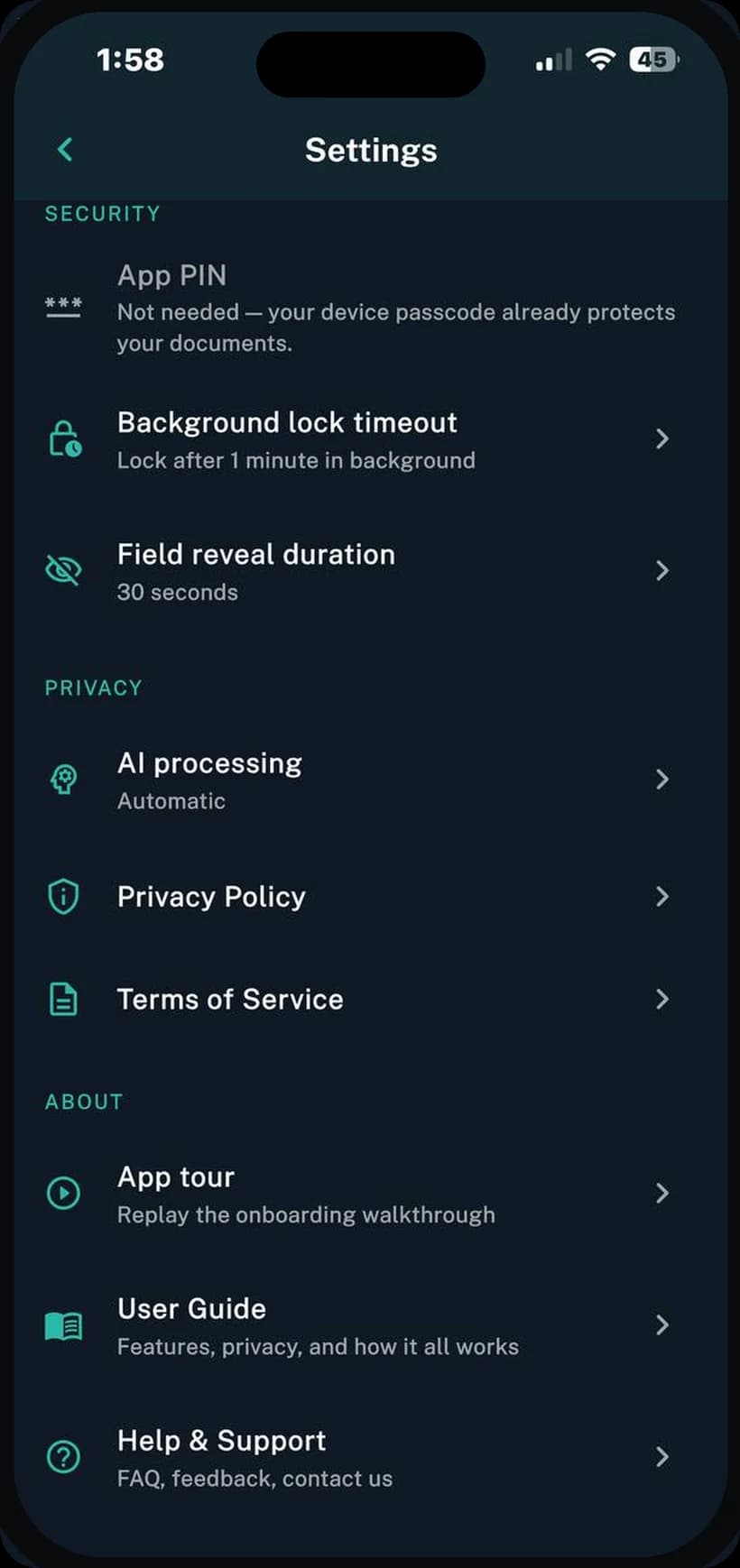
Privacy
Private by design.
Docrux does not require an account. Your documents remain on your device unless you choose a backup option. AI processing is optional, and personal documents are never used for training.
Put your paperwork in order.
Keep documents organised, follow the right checklists, and have important details ready when you need them.
Want to talk about Docrux, or have feedback? We'd love to hear from you.
Contact usFAQ
Common questions
No. There's no sign-up and no login. Docrux works the moment you open it, and there's nothing on our servers linking documents to you.
On your iPhone. You can optionally turn on iCloud backup so they come back if you lose or replace your phone. We never store your files on our servers.
Yes. Docrux is on Google Play, and on the App Store for iPhone.
Yes. The free tier keeps 20 documents and 5 active checklists with all the core features. An optional Pro subscription in the app unlocks higher limits and custom fields.
AI is optional. By default, Docrux uses on-device AI where your device supports it and otherwise falls back to cloud AI. You can switch to on-device only, or turn AI off entirely and work manually. When cloud AI runs, only extracted text is sent, never your files, and your documents are never used to train models.